
A biofeedback signal recorder and research tool designed to detect eye movements during sleep.
Download | Documentation | Citations | Android | iOS
|
Plugins
Download or develop plugins for various biofeedback and lucid dreaming devices.
 |
CPU Monitors your machine’s CPU performance. Included. |
 |
Halovision
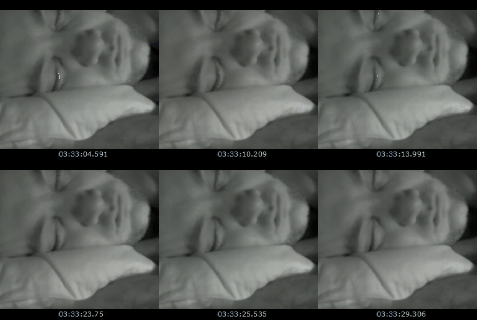
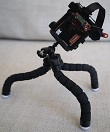
Monitors the video stream from any webcam or IP camera and the INSPEC – a night-vision camera the size of a matchbox, and measures the amount of change between each video frame. Plays plays audio tracks when rapid eye movement patterns are detected. Download | Updates | LSDBase Entries |
 |
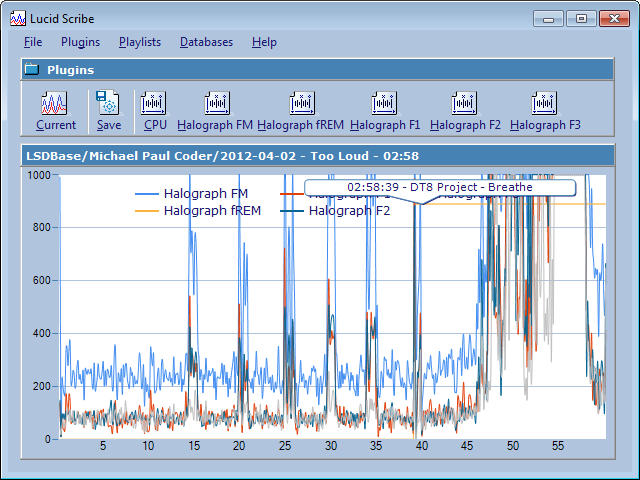
Halograph FM Monitors the output from the halograph FM – a headband with a motion detector that is sensitive enough to pick up the heartbeat. The plugin plays an audio track and cycles through the playlist during REM sleep. Download | LSDBase Entries |
 |
NeuroSky ThinkGear EEG Monitors the EEG data from NeuroSky ThinkGear EEG compatible devices like the MindWave and the MyndPlay BrainBandXL. Requires the NeuroSky ThinkGear Connector. Channels: – raw EEG, attention, meditation – alpha, beta, delta, gamma, theta Download | Updates | Source Code | LSDBase Entries |
 |
BrainFlow Monitors the EEG data from devices compatible with the BrainFlow library, including OpenBCI, NeuroMD, G.TEC, Neurosity, OYMotion, FreeEEG32, Muse, Ant Neuro, Enophone, and BrainAlive devices. Download | Updates | Source Code |
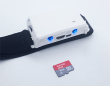 |
Hypnodyne ZMax Monitors the EEG data from the Hypnodyne ZMax and triggers audio tracks when electrical activity from the eye muscles is detected during REM sleep. Channels: – EEG R, EEG L – X, Y, Z Download | Updates | Source Code |
 |
Mouse FIELD (Finger Induced Electronic Lucid Dream) Monitors the mouse activity and plays an audio track when the mouse button is released. The idea is to catch yourself when you fall asleep – in a dream, but awake. Another channel detects eye movements from the infrared LED sensors operated out of mice. Download | Updates | Source Code | LSDBase Entries |
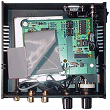 |
OpenEEG Monitors the EEG data from devices compatible with the OpenEEG project like the Olimex EEG SMT and the halograph EEG. Download | Updates | LSDBase Entries | Source Code | FTDI Driver | RegEdit |
 |
Keyboard Measures and graphs the keyboard’s words per minute. Download | Updates | Source Code |
 |
Microphone Monitors the volume of the default microphone. Download | Updates |
 |
Pranayama Outlines breathing patterns that can be followed by keeping the lungs filled at the level of the graph. The line shows the level at which the lungs should be filled and how long the breath should be retained. The first exercise is to inhale for 8 seconds, hold for 32 and exhale for 16 (a ratio of 1:4:2). Download | Updates | Source Code | LSDBase Entries |
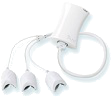 |
Wild Divine LightStone / IOM Monitors the heartbeat, skin conductivity (galvanic skin resistance) and heart rate variability from the Wild Divine LightStone / IOM. Download | LSDBase Entries |
 |
OCZ NIA Monitors a mixture of muscle, skin and nerve activity including sympathetic and parasympathetic components that can be summarized as biopotentials from the OCZ / BCInet NIA (Neural Impulse Actuator). Download | Updates | Source Code |
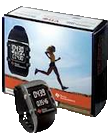 |
TI Chronos EZ430 Monitors the XYZ output from the Texas Instruments EZ430 Chronos. Includes source code. Pro tip: to change the default transmission timeout (of 3600s) you need to change sRFsmpl.timeout (and SIMPLICITI_TIMEOUT): Use the Code Composer (included with the chronos) to edit one line of code in rfsimpliciti.c, then build it for the frequency for the device (e.g.: 433Mhz) and use the TI Control Center to wirelessly update the firmware. Download | Updates | LSDBase Entries | Source Code |
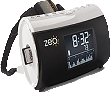 |
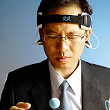
Zeo EEG Monitors the EEG and sleep stage data from the Zeo. You would have to hack the device with a special version of the firmware from the Zeo Raw Data Library. Download | Updates | View Source Code | LSDBase Entries |
 |
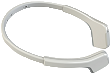
Mattel Mindflex (BETA) Monitors the EEG data from modded Mindflex headsets that have been connected via USB. Download | Updates | Source Code |
 |
InteraXon Muse (BETA) Monitors the EEG and accelerometer data from InteraXon Muse EEG devices. Download | Updates | Source Code |
Plugouts
 |
Audio Spins the next audio track in the playlist. Included with Lucid Scribe. |
| Screen LED Flashes the screen: opens a full-screen black form after a minute and then flashes the screen once a second when triggered. Download | Updates | Source Code |
|
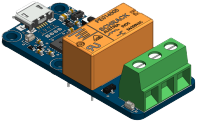 |
Yocto PowerRelay Triggers any devices wired into a Yocto PowerRelay. Download | Updates | Source Code |
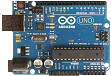 |
Arduino Triggers any devices wired into an Arduino. Download | Updates | Source Code |
 lucidcode
Hello guys, my name is Friend, a final semester student of software engineering, am working on a project under Neurosky, to carry out an activity (catch a fish) with meditation and attention of brain waves, am stuck because I dont have the codes sufficient enough to implement. Pls can somebody help me with codes. Thank you!
Have you installed Lucid Scribe with the NeuroSky ThinkGear EEG plugin? The source code is available at https://github.com/lucidcode/LucidScribe-ThinkGear-EEG.
Wanted to try the software but the installer seems to be broken. I could install it at first but the install was broken (Software didn’t start) Reinstalled appropriate NET framework didn’t help. Now the installer won’t even open because of access violations?
Which OS version do you have? Try uninstalling it from Add / Remove Programs in the Control Panel and then re-installing it.
I’m on windows 7 (latest patches included). Tried several times to install it correctly but it wont work. Even downloaded the .msi two times (internet explorer).
I do have a clue what that could be… IE says that your .msi file could harm my computer (that stupid browser is “maybe” fucking up the installable while downloading)…
I’ll check it out with another browser later in the evening.
https://www.google.com/intl/en/chrome/browser/?brand=CHMO#eula
Thanks for your great work on this excellent project! I’d seen the Dec. 20 post over at hackaday.com that referred to your site and, well, I just got my MindWave today! Unfortunately, LucidScribe.1.2.2 is not displaying any data. I have the ThinkGear.EEG.0.9.8 plugin. The stock MindWave apps (Meditation Journal, SpeedMath, etc.) work perfectly. I’ve tried tinkering with the scaling settings, but have had no luck. Also, just FYI, the headset is model MW001 and has yet to be modified into something that can be worn while sleeping. Any suggestions would be greatly appreciated. Thanks and keep up the great dev work!
Try these steps:
1.) Close all apps – ThinkGear Connector should be ‘disconnected’.
2.) Open ThinkGear Connector and note the COM port.
3.) Open Lucid Scribe and select the COM port (you can exit it by right-clicking on the icon next to the system time).
4.) ThinkGear Connector should remain ‘disconnected’, but Lucid Scribe should pick up the signal.
You can ask Tom over at the Lucid Scribe Database project about the modification for sleep. Tre from MyndPlay has recommended we try the BrainBand:
http://myndplay.com/products.php?prod=7.
No luck with that technique.
I also tried connecting via different USB ports. No change. Then tried a different PC… Tried turning off firewall (just a guess). No luck.
Both PC’s running Win7 64 bit. Could 64 bit be an issue, perhaps to do with the “C:\Program Files (x86)” directory name? Just grasping at straws here, but I hope we can get this ironed out and documented here to potentially help others with the same connection issue. …and maybe even find and squash a bug in the process!
The MindPlay looks comfy! Actually, I’m really looking forward to modding the MindWave, but only once it’s working with Lucid Scribe. Of course, if MindPlay ends up being superior, then I may get that too.
– Chris
Success! Well, partially, at least. I got Lucid Scribe working on an older laptop running Win7 32-bit. No other differences that I can tell. Now it’s time to turn the MindWave into something wear-able during sleep. Looking forward to the next steps!
Elite.
Hmm, I have it running on a Windows 7 64 bit machine. Perhaps UAC is on or it needs to be run as administrator?
hey, i use Lucid Scribe to view my eeg-signals with the mindwave headset from neurosky but the theta its on the top line on 1000 in the view.. is that a bug or say it “no signal for theta aviable”? its creepy when the theta its always on 1000 when i´m on alpha-state with my mind D: is that normal?
That is not normal. But it may be a bug when the theta is an order of magnitude more than normal. You could try restarting Lucid Scribe – sometimes the values get stuck when the skin connection is lost. Otherwise I will update the plugin to divide the theta value some more to scale better.
i can show you a video.. its like the theta value its to high to show but when i´m on theta state with my mind its scale down.. hm -> http://www.youtube.com/watch?v=GJRRiWovIo0 here you see it good, i go on 1:20 to theta state with a trigger in my mind and its scale down the value, if i on normal state with the mind its on the 1000 value
I just do some basic math on the numbers returned from the device to scale them into the 1000 range, but clearly the theta still needs some tweaking… will see what I can do. From the source code:
Attention = Attention * 10 BlinkStrength = BlinkStrength * 10 Meditation = Meditation * 10 Alpha = ((Alpha1 / 100) + (Alpha2 / 100)) / 2 Beta = ((Beta1 / 100) + (Beta2 / 100)) / 2 Delta = Delta / 10000 Gamma = ((Gamma1 / 100) + (Gamma2 / 100)) / 2 Theta = Theta / 100For me most of the channels are out of the screen most of the time. Although somtimes it seems to work well. Here is an example:
I don’t need these. Just thought I’d post this since I noticed it.
I think this happens when it looses good skin contact. If you enable the EEG or RAW channel, it might be easier to see if the signal quality has been lost.
Thanks for including source code for your plugins! Some of the source code solutions appear to include an incorrect Reference. As I see it, the Reference to ‘Lucid Interface’ that is contained in the source solution(s) should be a reference to lucidcode.LucidScribe.Interface.
Sure! You are correct – the reference should be to lucidcode.LucidScribe.Interface. I will fix this in the solutions… in the mean time you can delete the existing reference and add a new reference to the DLL.